
CarbConnect logo
CarbConnect logo
    • Welcome to CarbConnect
    • Welcome to the Gallery
    • Creating Your First Folder
    • Uploading Your First Image

    • Introducing the image modal
    • Change image information
    • Communicate with your colleges
    • Create an Annotation

    • Sharing and Connecting

    • How to use ZOI 1.0 Zone of Inhibition measurement
    • How to use BiTTE lite Microbial Analysis
    • How to use Nugent Score AI 1.0
    • How to use BM Smear AI 1.0
    • How to use ZOI Pro

    • Managing Your Profile and Settings

    • Getting Started with Labeling Tool
    • Configuring Shape Builder and Labels
    • Managing Server Invitations
    • Starting a Labeling Project
    • Accessing Shared Labeling Projects

How to use ZOI Pro

EN
​

Dive deeper into comprehensive zone of inhibition analysis using ZOI Pro. This method is similar to an Antibiogram, using Petri dishes and Mueller-Hinton agar for robust sensitivity or resistance measurement of the analyzed bacterial strain.

From the gallery, open a ZOI Pro image. If you need sample images, download them here.here

Click on the ZOI Pro Icon to open the application settings for advanced analysis.
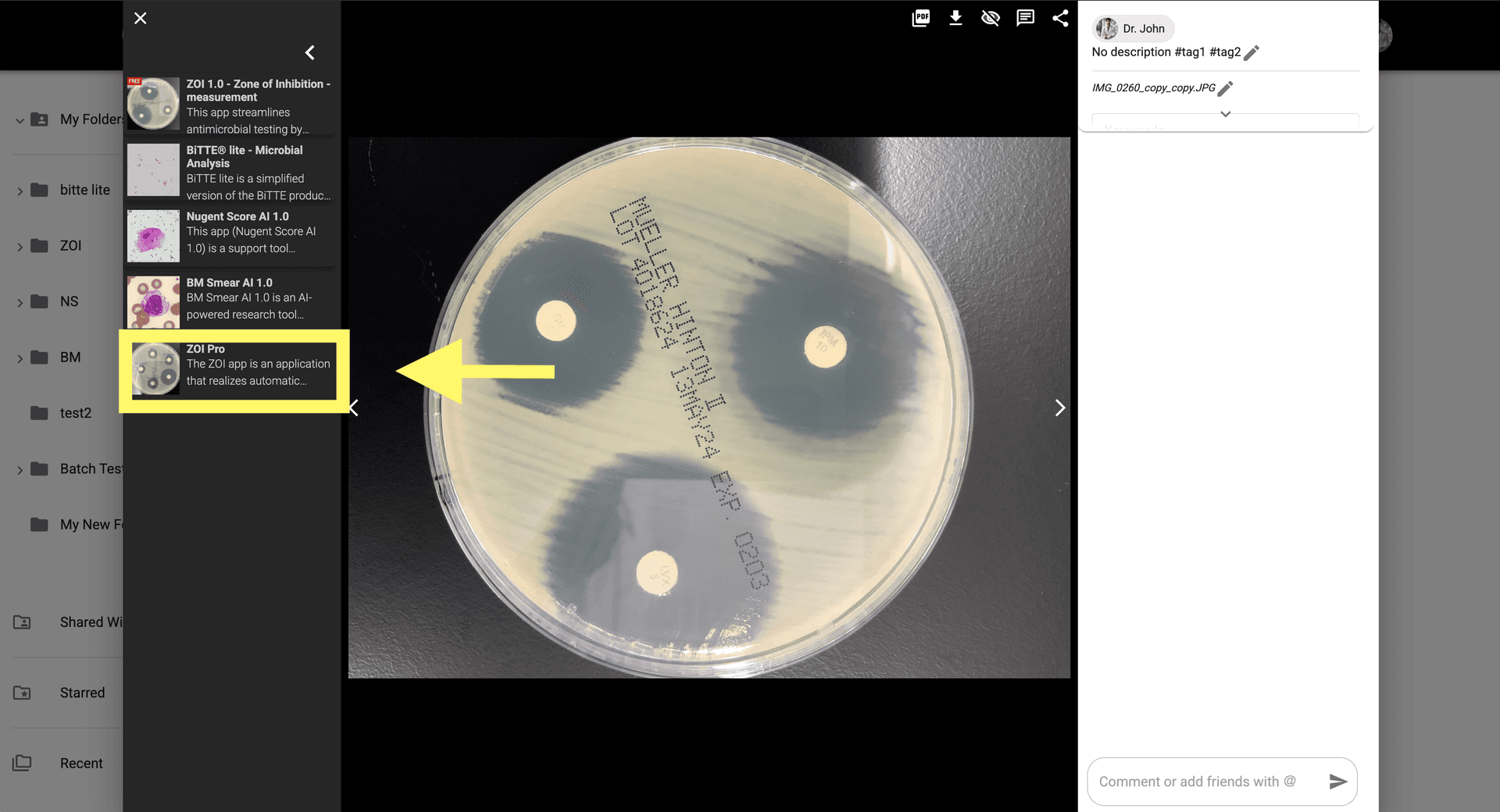
Step 2: Click on the ZOI Pro Icon to open the application settings for advanced analysis.

Enter parameters for antibiotic disk detection, zone size measurement, and more.

Step 3: Enter parameters for antibiotic disk detection, zone size measurement, and more.

Click 'Analyze' to begin the advanced AI process, which will measure the ZOI.
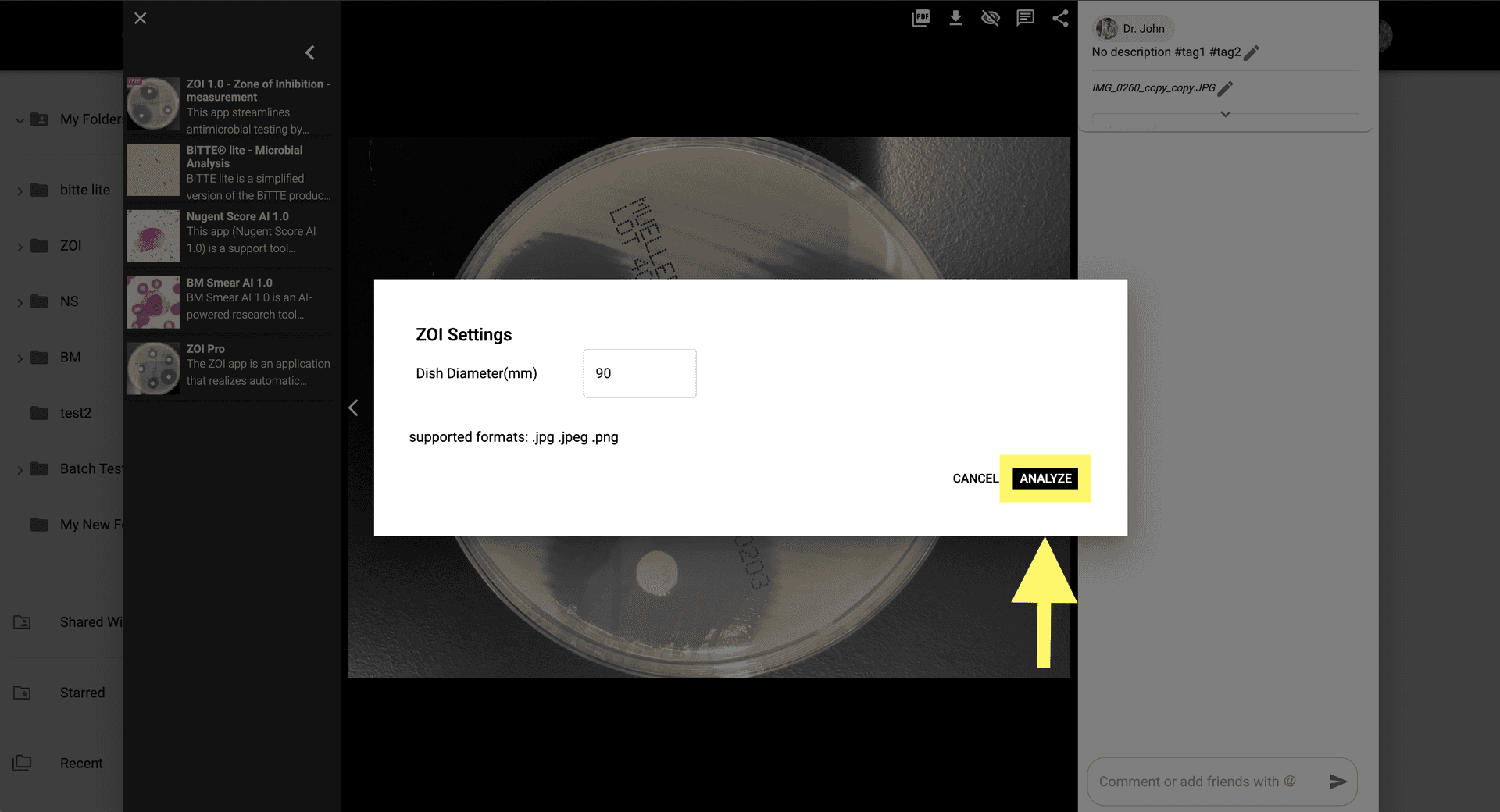
Step 4: Click 'Analyze' to begin the advanced AI process, which will measure the ZOI.

Check the analysis results in the image modal or open the generated image in the gallery.
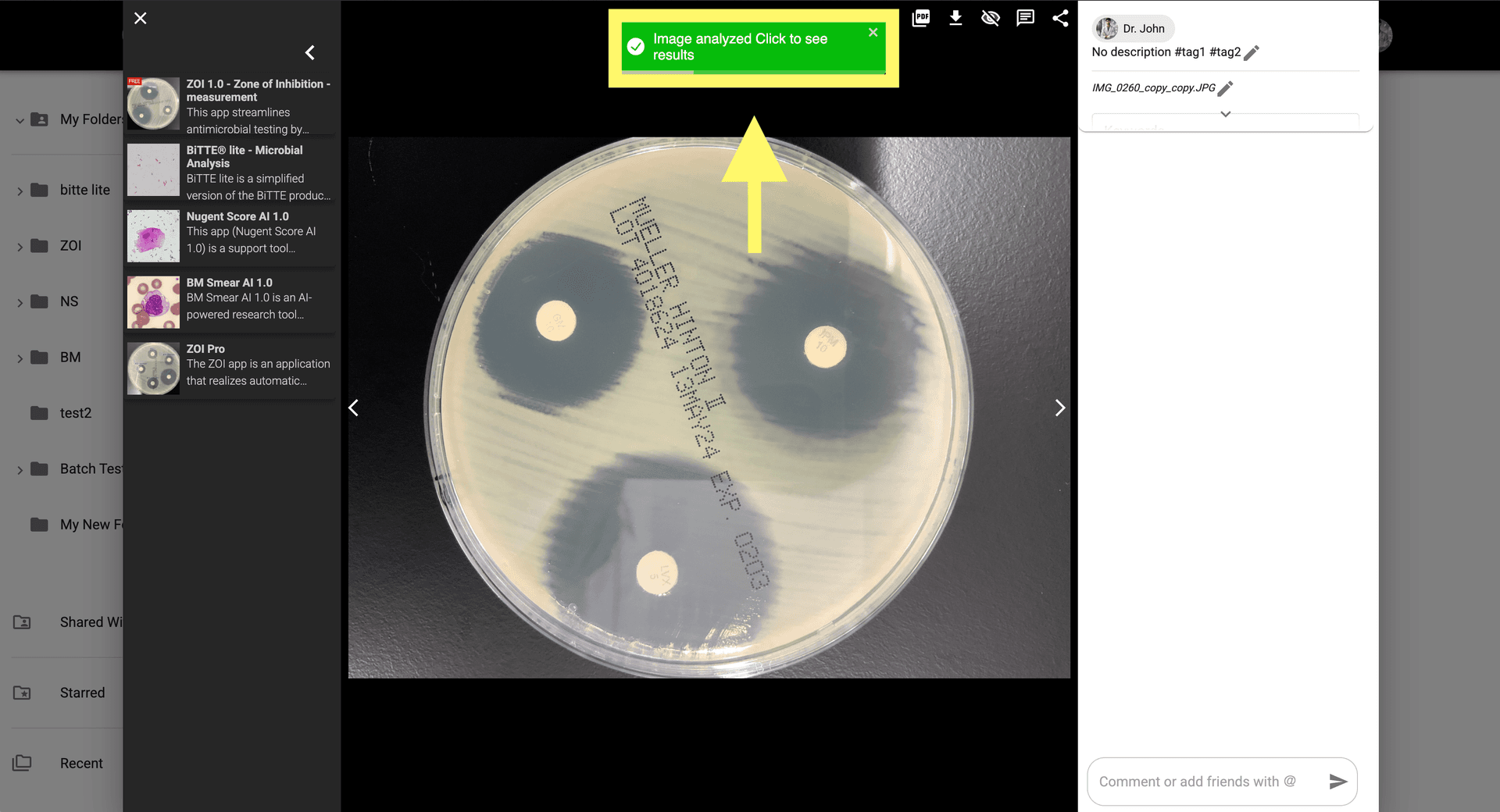
Step 5: Check the analysis results in the image modal or open the generated image in the gallery.

For manual adjustments, click 'Show AI correction' at the top-right of the modal.
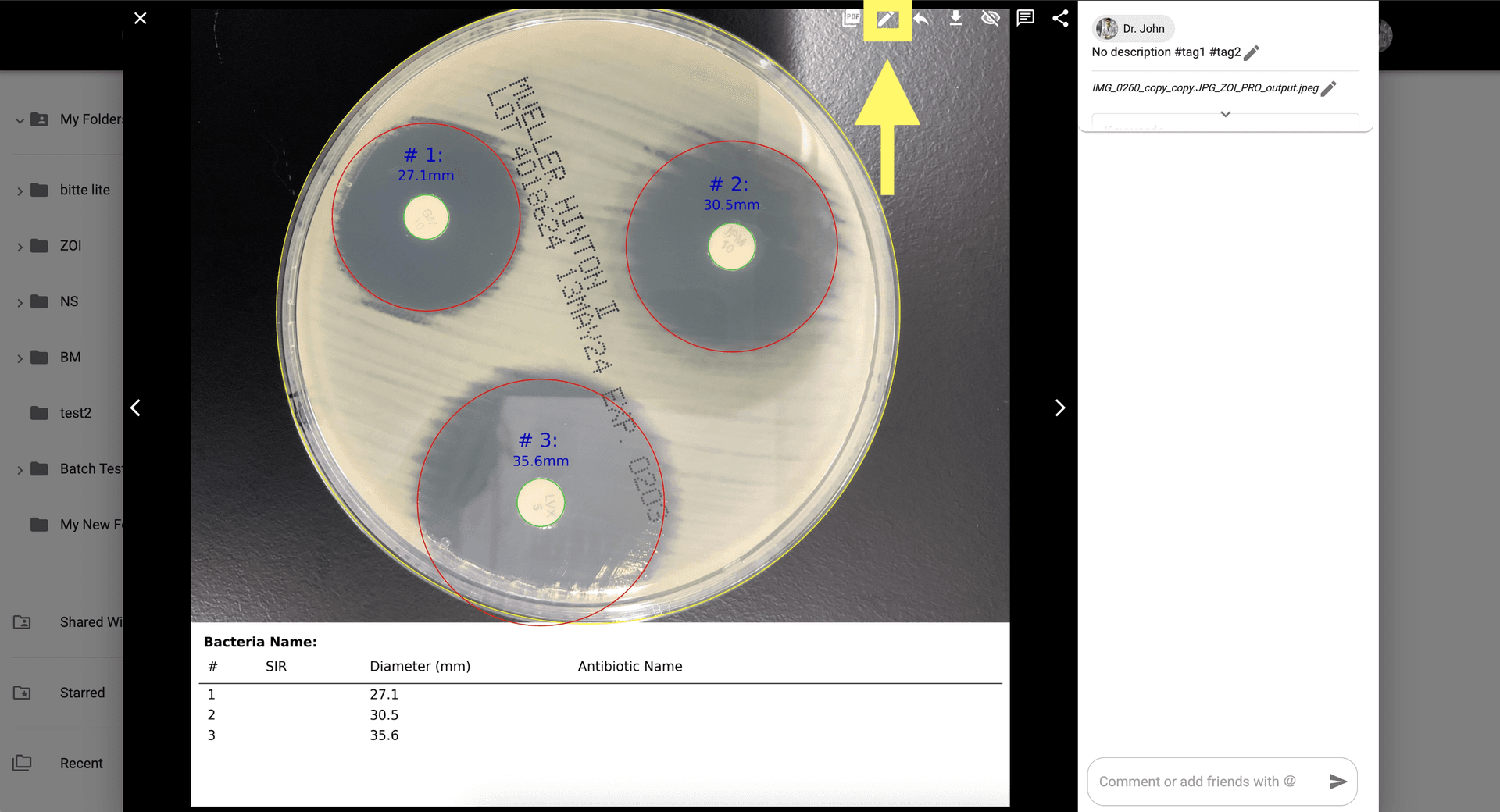
Step 6: For manual adjustments, click 'Show AI correction' at the top-right of the modal.

Manually adjust the ZOI area and set the Bacteria or Disk/Antibiotic Name for SIR calculations.
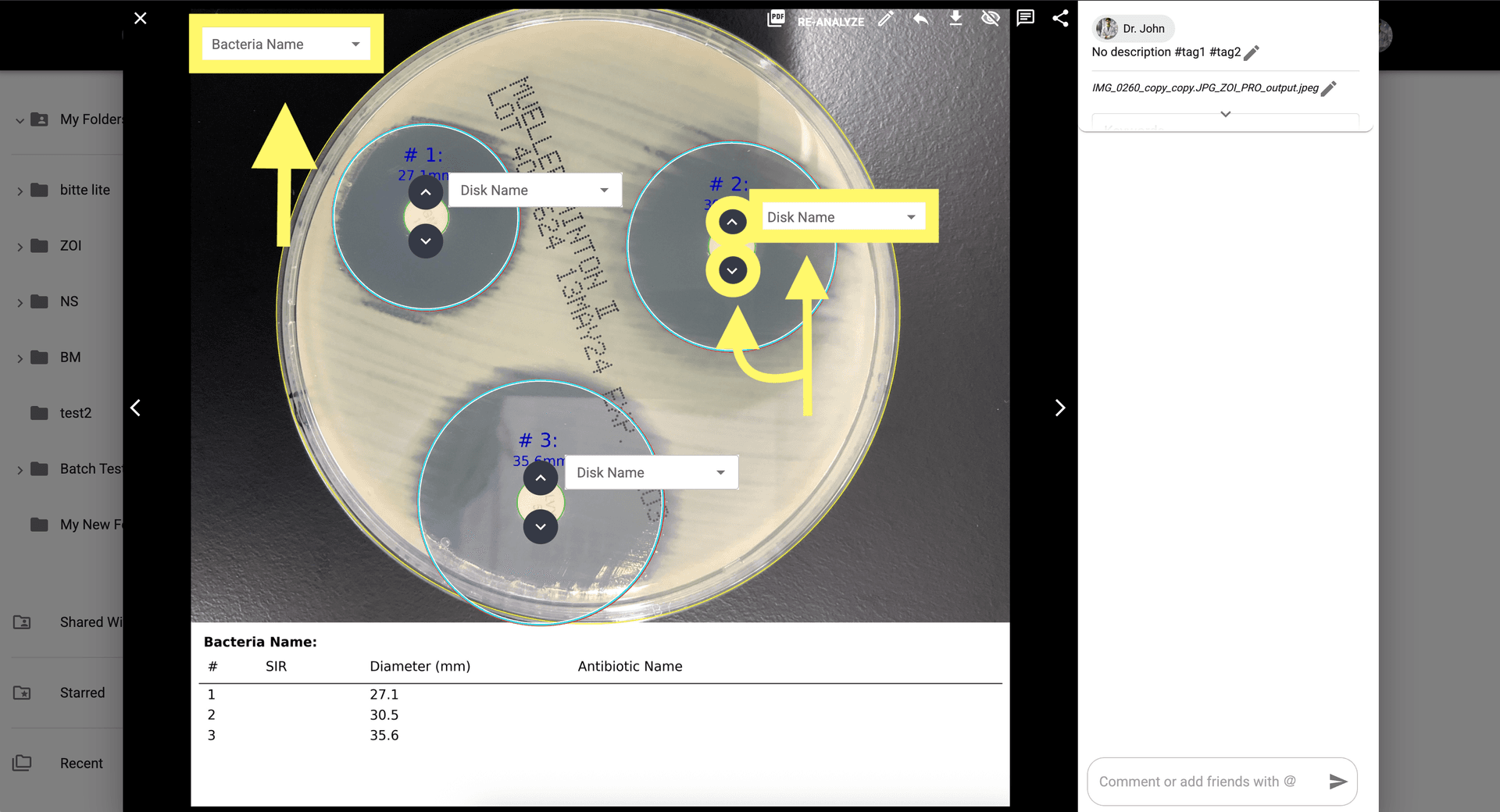
Step 7: Manually adjust the ZOI area and set the Bacteria or Disk/Antibiotic Name for SIR calculations.

Click 'Re-Analyze' once you are satisfied with the manual corrections.
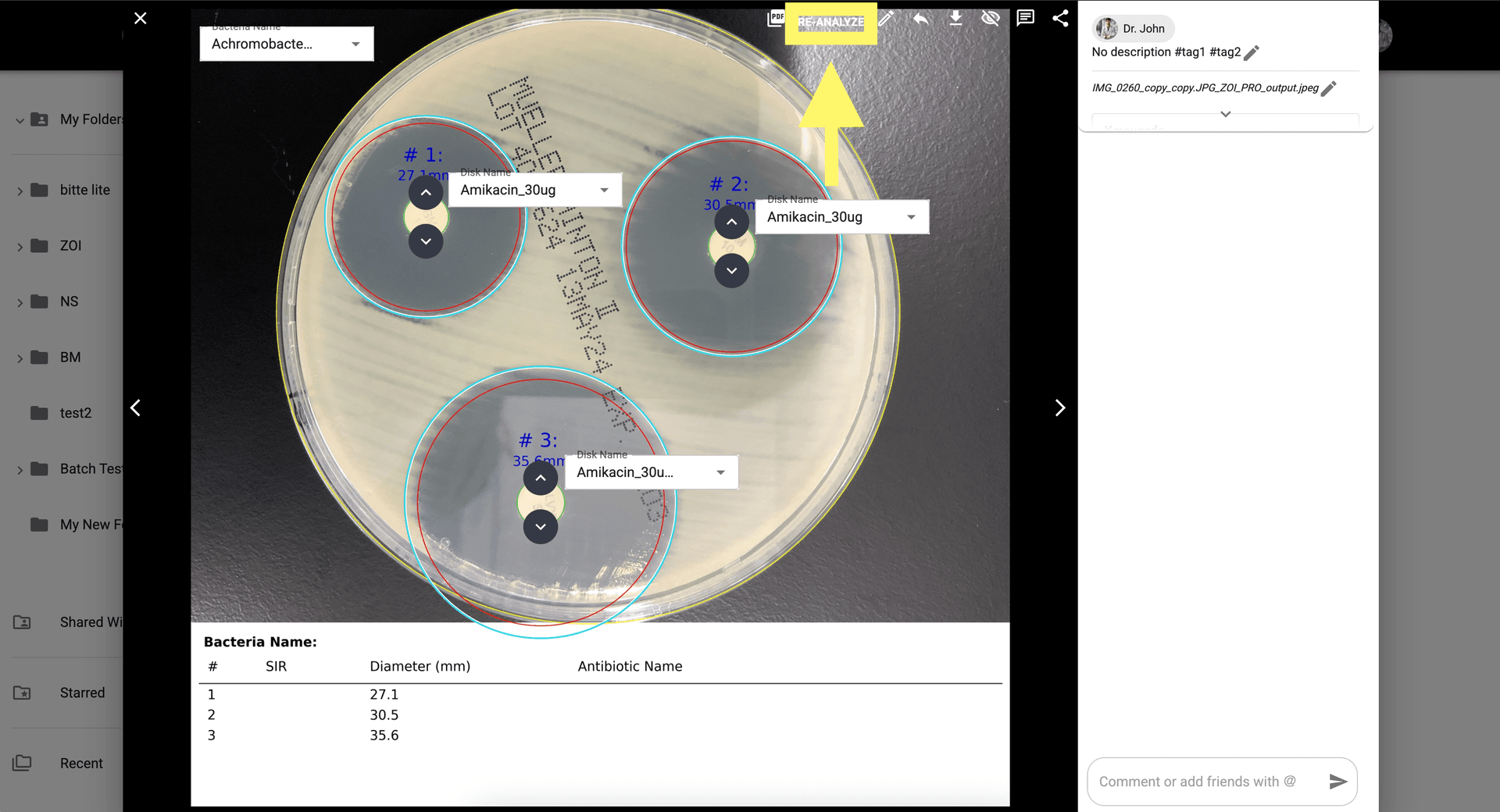
Step 8: Click 'Re-Analyze' once you are satisfied with the manual corrections.

After re-analysis, review the SIR, Adjusted Diameter, and Antibiotic Name at the bottom of the modal.
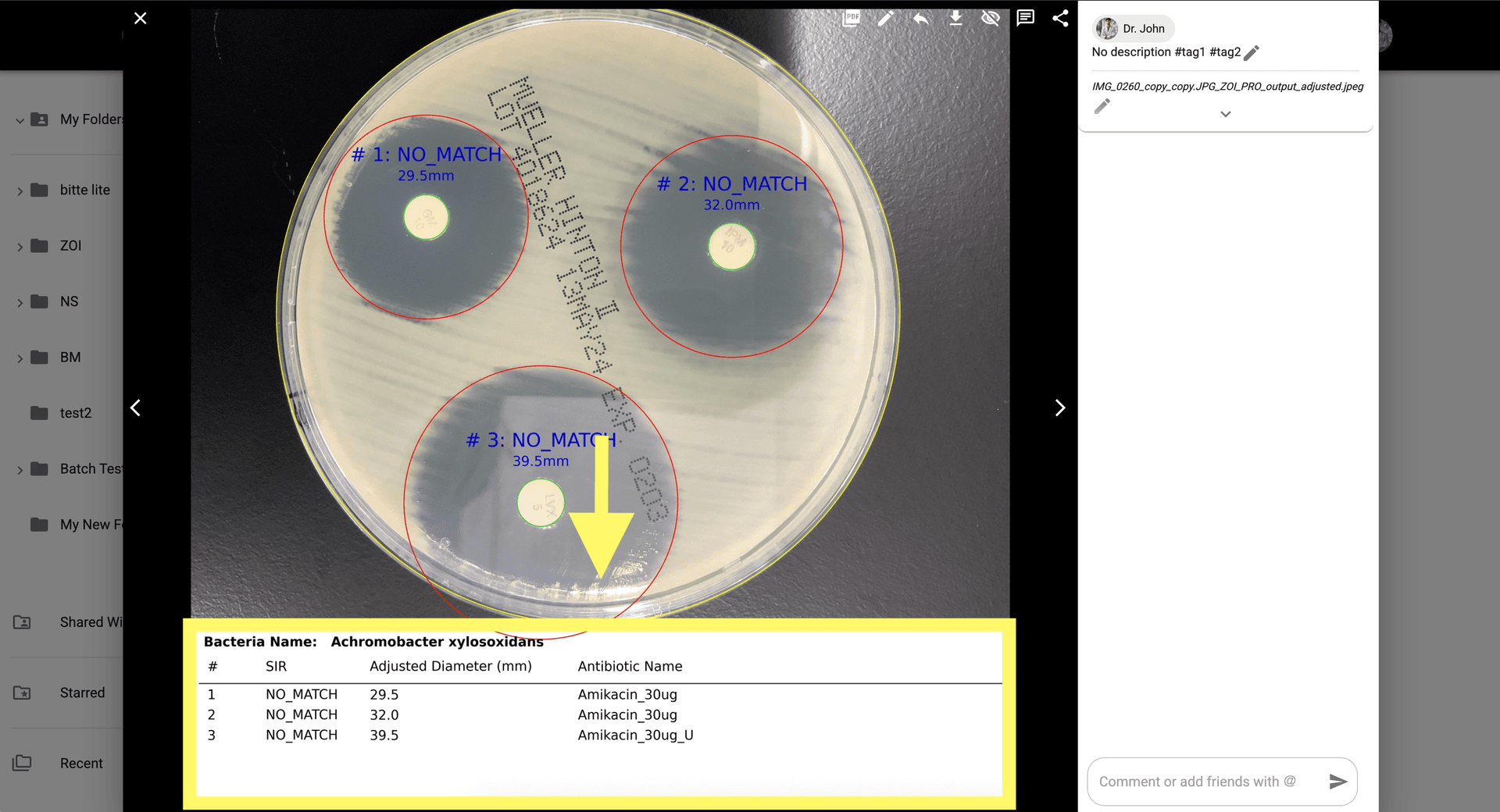
Step 9: After re-analysis, review the SIR, Adjusted Diameter, and Antibiotic Name at the bottom of the modal.
© CarbGeM Inc. All Rights Reserved.
About Us
Terms and Conditions
Privacy Policy