
CarbConnect logo
CarbConnect logo
    • Welcome to CarbConnect
    • Welcome to the Gallery
    • Creating Your First Folder
    • Uploading Your First Image

    • Introducing the image modal
    • Change image information
    • Communicate with your colleges
    • Create an Annotation

    • Sharing and Connecting

    • How to use ZOI 1.0 Zone of Inhibition measurement
    • How to use BiTTE lite Microbial Analysis
    • How to use Nugent Score AI 1.0
    • How to use BM Smear AI 1.0
    • How to use ZOI Pro

    • Managing Your Profile and Settings

    • Getting Started with Labeling Tool
    • Configuring Shape Builder and Labels
    • Managing Server Invitations
    • Starting a Labeling Project
    • Accessing Shared Labeling Projects

Change image information

EN
​

Master image management by editing details, adding tags, and creating annotations.

From the gallery, click on an image to open it.

From the image modal you can edit the image name, description, and tags and keywords
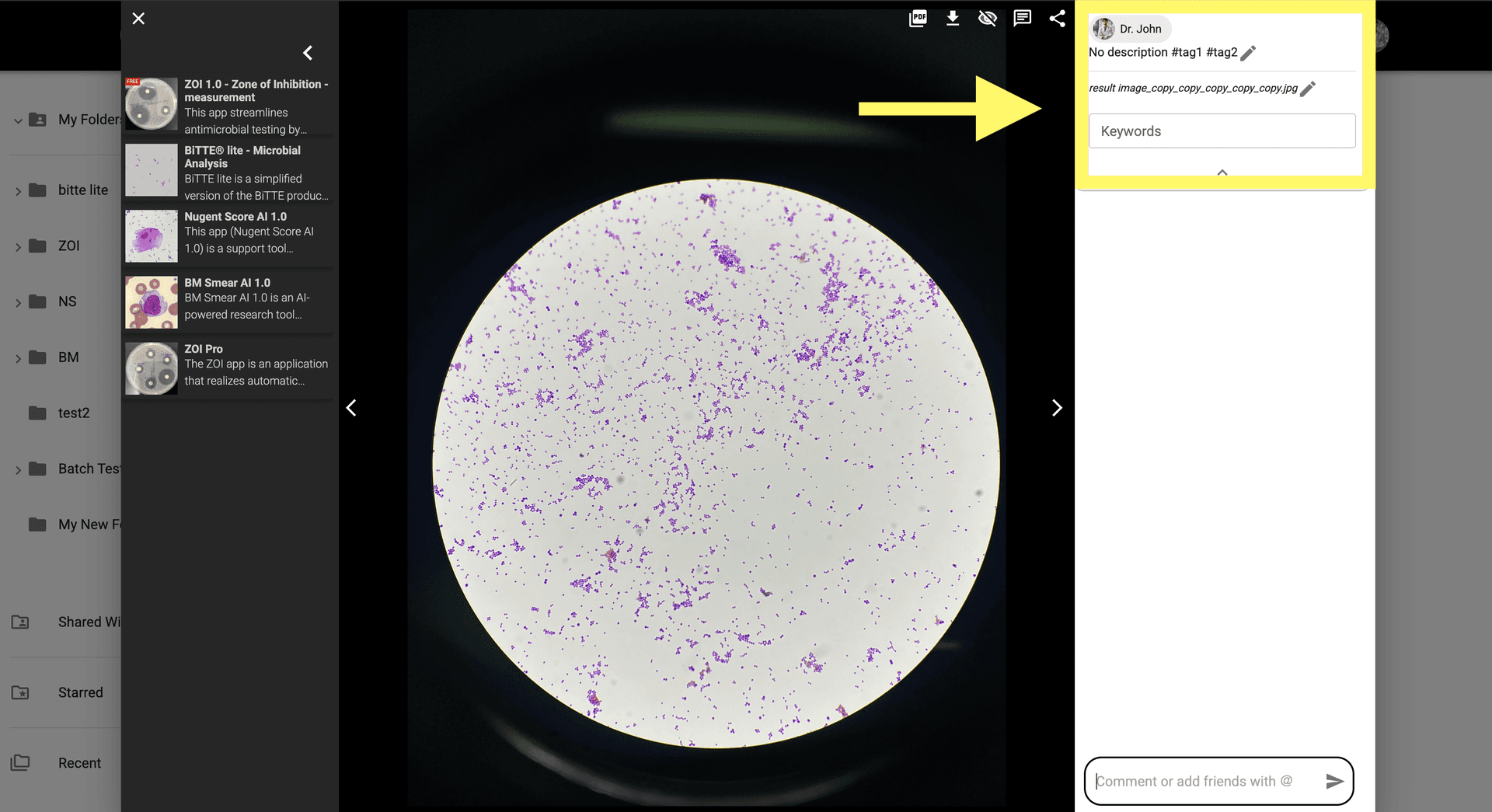
Step 2: From the image modal you can edit the image name, description, and tags and keywords

Click on the 'Edit' button to modify image details.
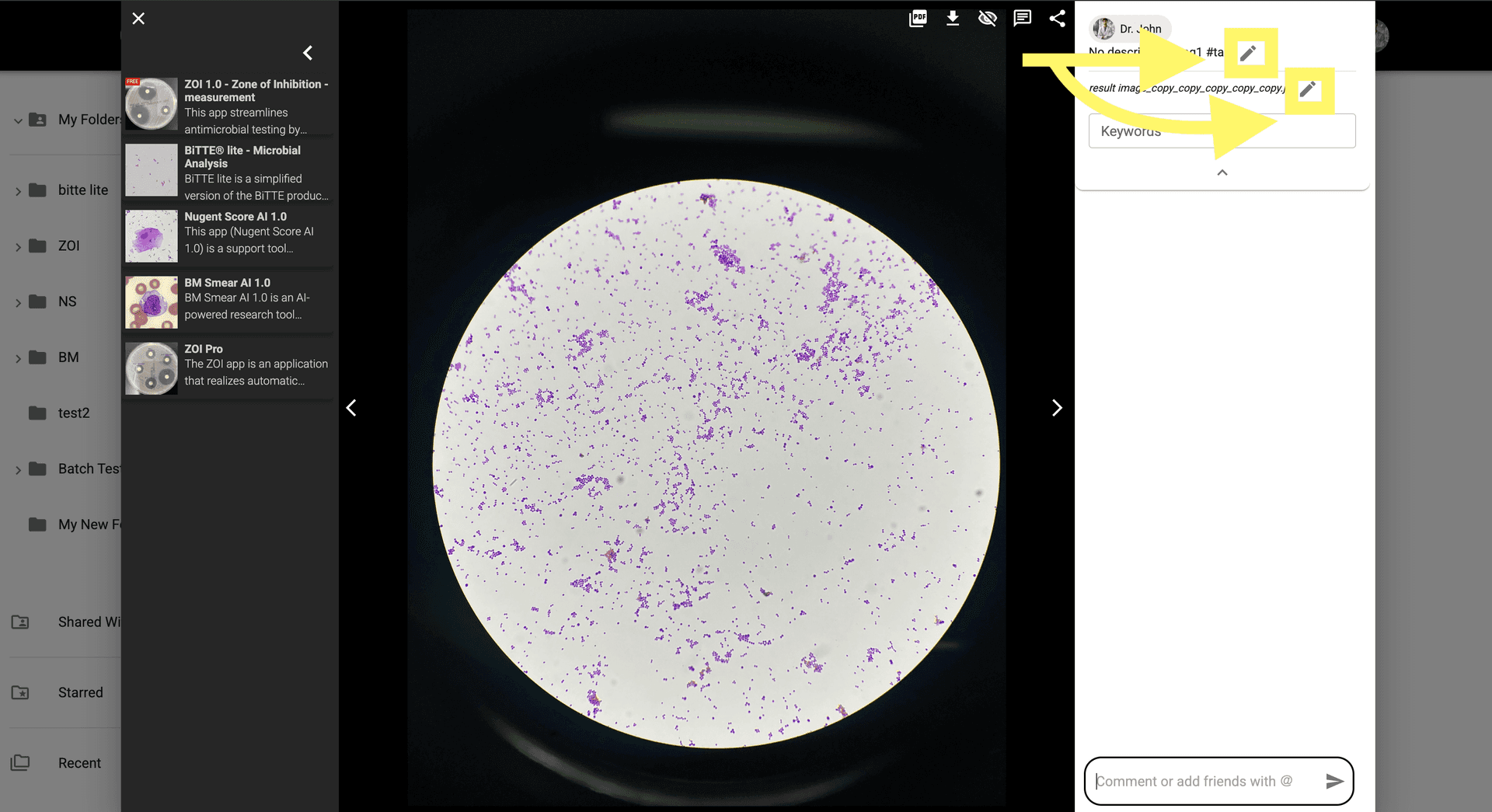
Step 3: Click on the 'Edit' button to modify image details.

To add a tag in image description, type '#' followed by the tag name. If the tag exists, it will be suggested. If not, you can create a new one.

Step 4: To add a tag in image description, type '#' followed by the tag name. If the tag exists, it will be suggested. If not, you can create a new one.

Add keywords to the image by clicking on the 'Keywords' input.
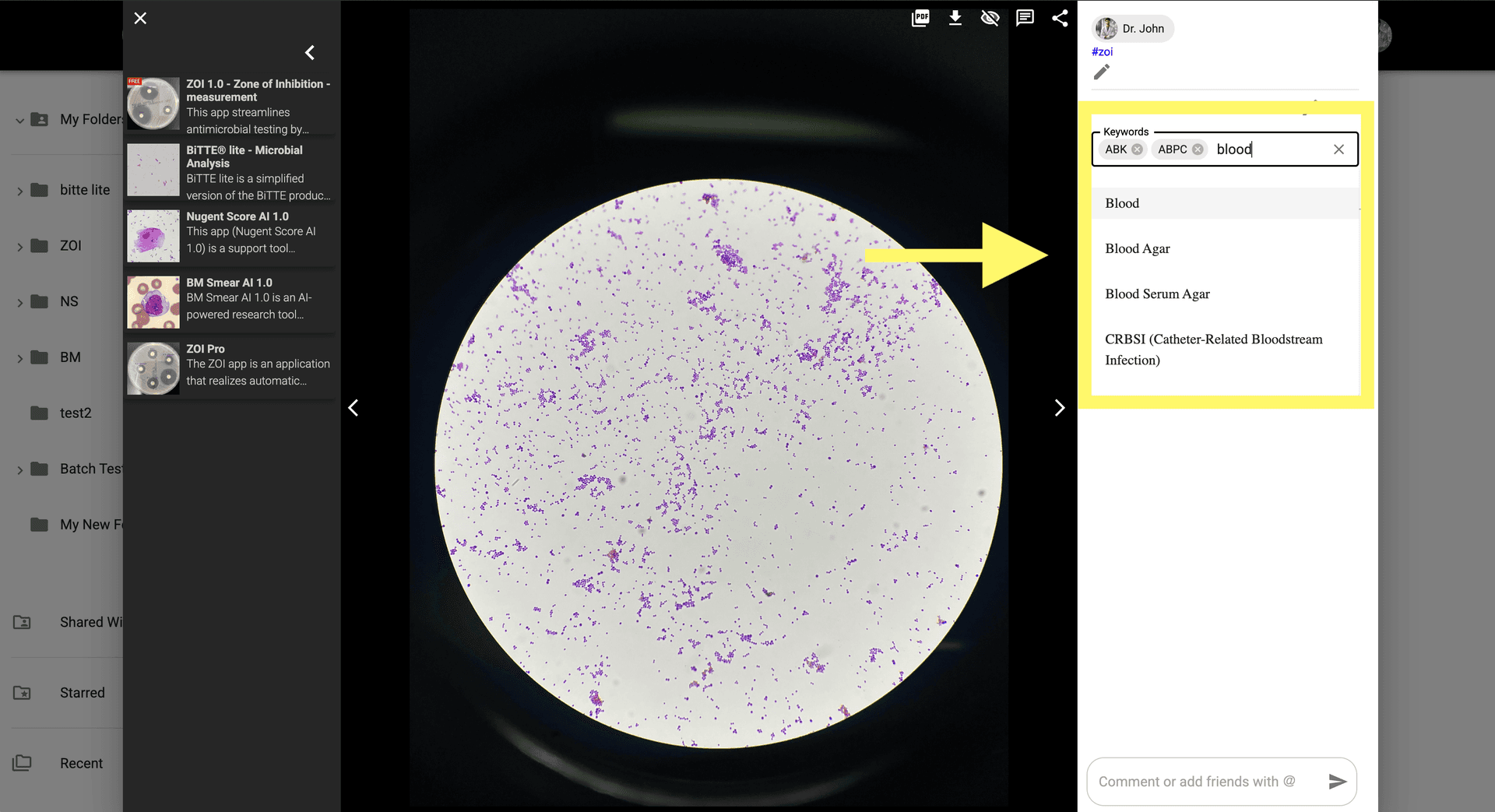
Step 5: Add keywords to the image by clicking on the 'Keywords' input.

Once you finish editing, click anywhere outside to save.

© CarbGeM Inc. All Rights Reserved.
About Us
Terms and Conditions
Privacy Policy