
CarbConnect logo
CarbConnect logo
    • Welcome to CarbConnect
    • Welcome to the Gallery
    • Creating Your First Folder
    • Uploading Your First Image

    • Introducing the image modal
    • Change image information
    • Communicate with your colleges
    • Create an Annotation

    • Sharing and Connecting

    • How to use ZOI 1.0 Zone of Inhibition measurement
    • How to use BiTTE lite Microbial Analysis
    • How to use Nugent Score AI 1.0
    • How to use BM Smear AI 1.0
    • How to use ZOI Pro

    • Managing Your Profile and Settings

    • Getting Started with Labeling Tool
    • Configuring Shape Builder and Labels
    • Managing Server Invitations
    • Starting a Labeling Project
    • Accessing Shared Labeling Projects

Creating Your First Folder

EN
​

Step-by-step guide to creating and naming your first folder in the gallery.

Right-click on an empty space in the gallery.

Select 'New Folder' from the menu.
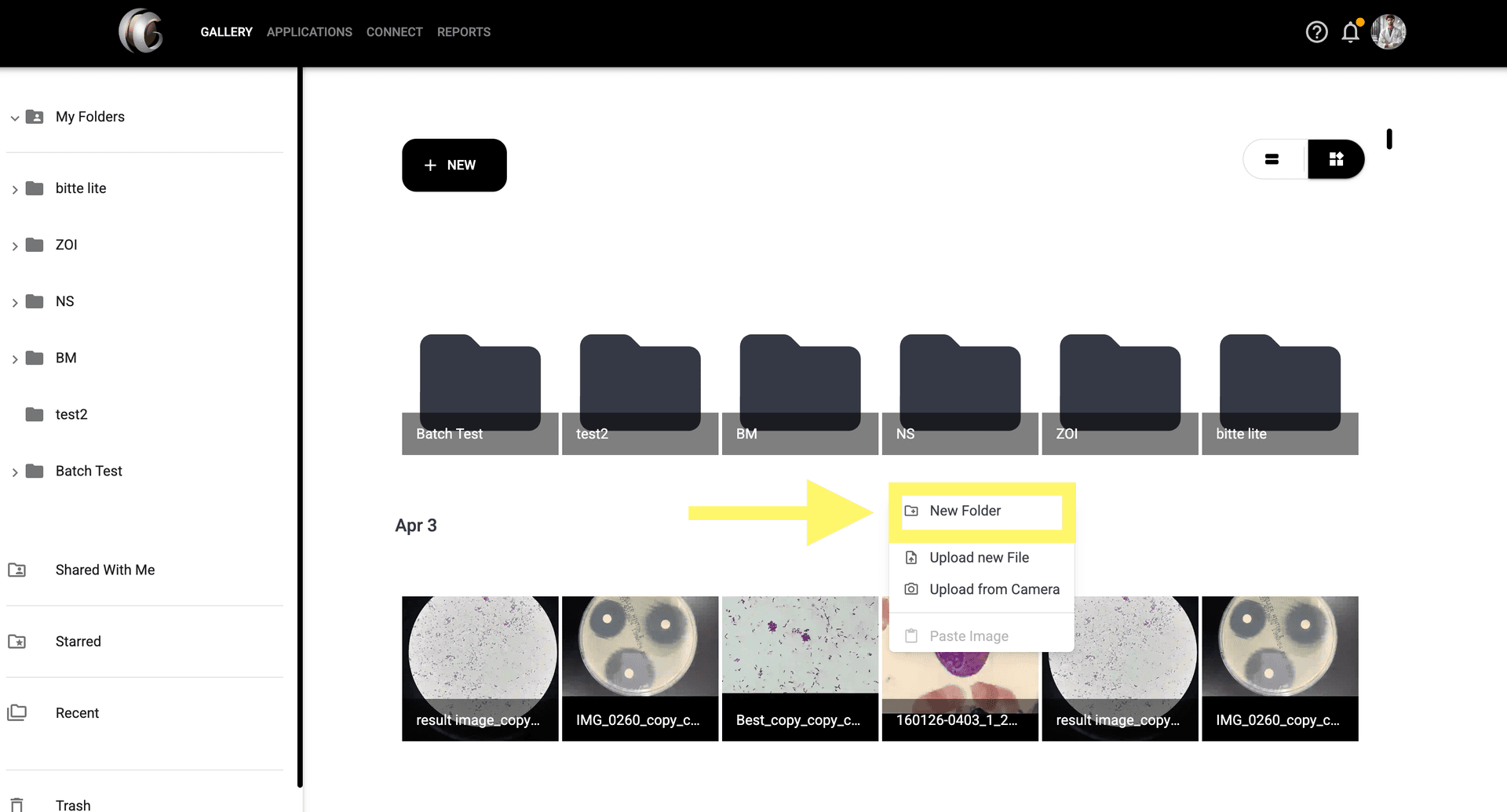
Step 2: Select 'New Folder' from the menu.

Enter a name for the folder.

Click 'Create' to confirm and generate the folder.
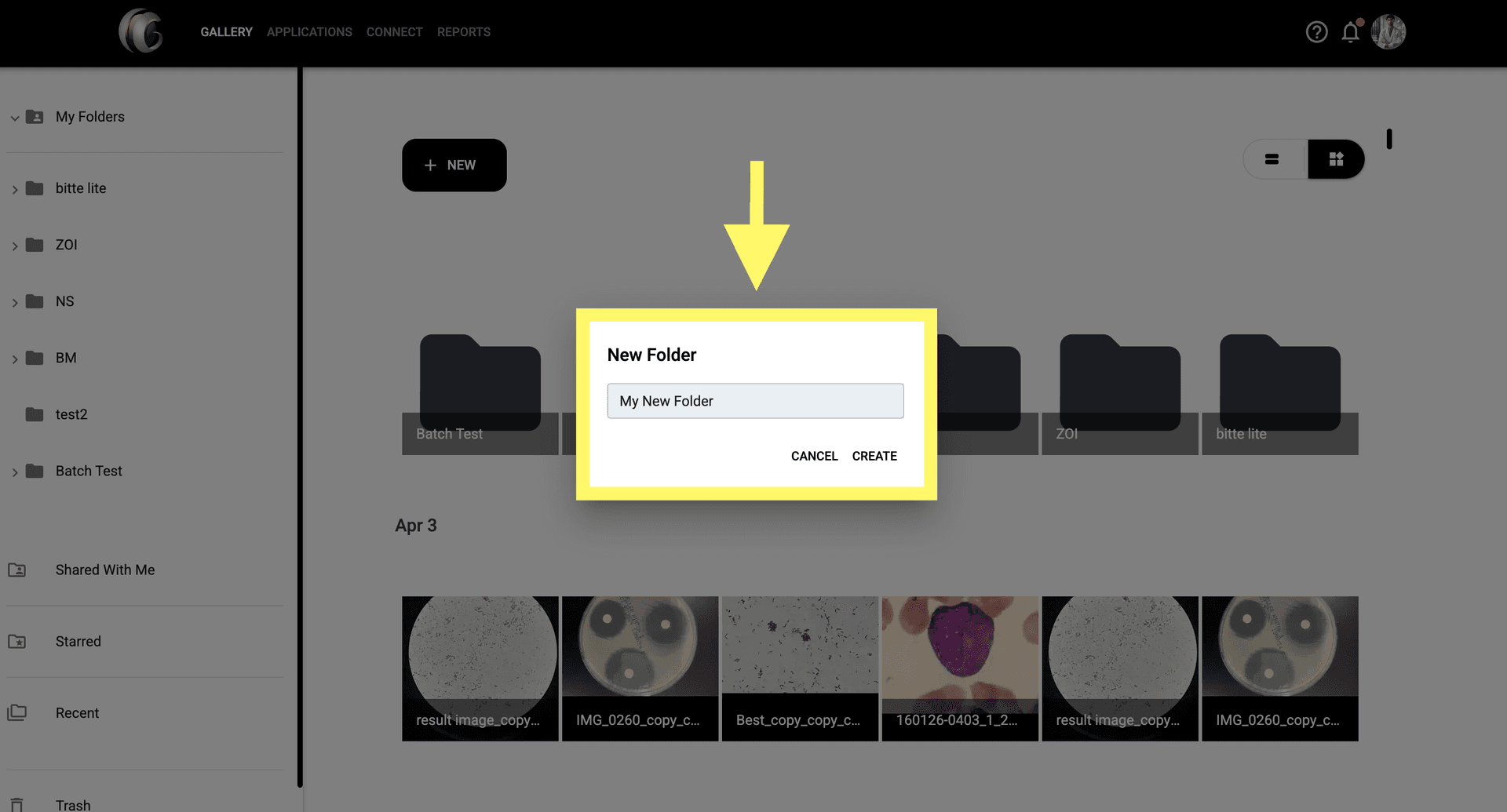
Step 4: Click 'Create' to confirm and generate the folder.
© CarbGeM Inc. All Rights Reserved.
About Us
Terms and Conditions
Privacy Policy